How to Do the Dime Dime Baby AI Trend in 5 Steps

To do the Dime Dime Baby AI trend, you need three things: one clear photo of one person, an image-to-video AI tool that recreates the party scene, and the TikTok app to add the official BbY WOW sound. You don't film or dance. The AI animates your photo; you prepare the photo, check the result, and post it with the sound and an AI label.
This is an unofficial guide. The trend and this tutorial are not affiliated with the song's artists, its rights holders, or the man in the original party clip, and we don't name or show him here.
Open the Dime Dime Baby AI tool →
What you're recreating
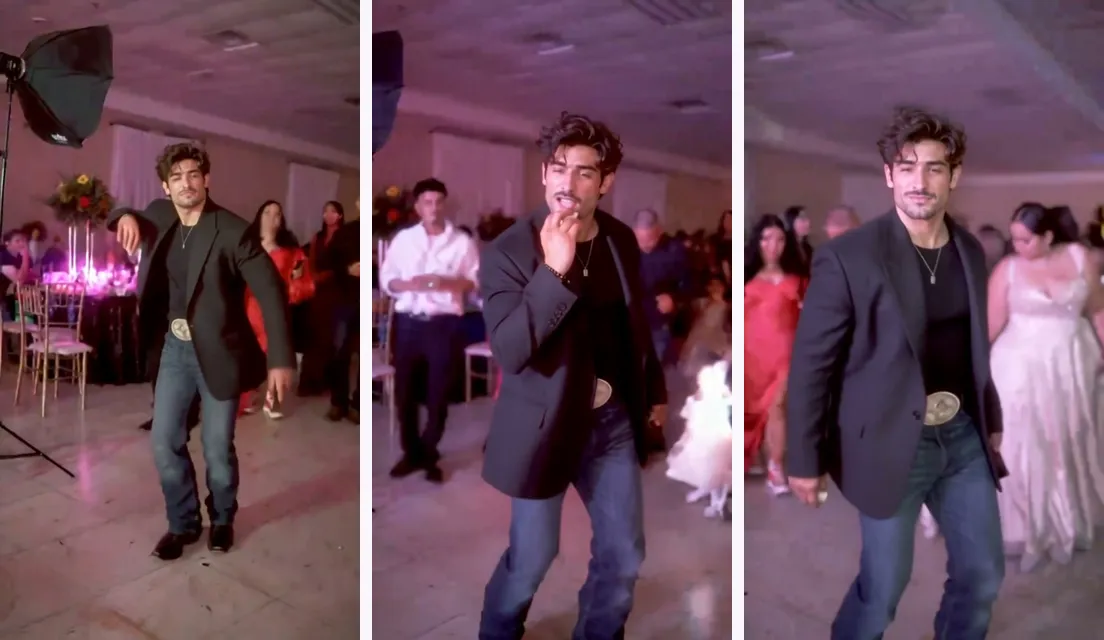
Every Dime Dime Baby AI video copies the same three beats from a real quinceañera clip: a guest walks toward the camera with a little dance, takes a bite of a concha, then freezes into a long, serious stare while "dime, dime, baby" plays. The stare is the punchline. If your version nails the stare, people forgive almost anything else.
That matters for the tutorial: most of the decisions below, from the photo you pick to the moment you align the sound, are about making that last second land.
What you need before you start
- One photo of one person. Yourself, or a friend who said yes.
- An account with credits on the Dime Dime Baby AI page. The cost is shown before you confirm.
- TikTok or Instagram on your phone, to add the sound. You don't need to download the song anywhere.
- Five minutes to review the video before posting.
Step 1: Take or pick the right photo
Your photo is the only thing the AI knows about you, so it decides most of the result. If you don't already have a good one, taking a new photo is faster than fixing a bad one:
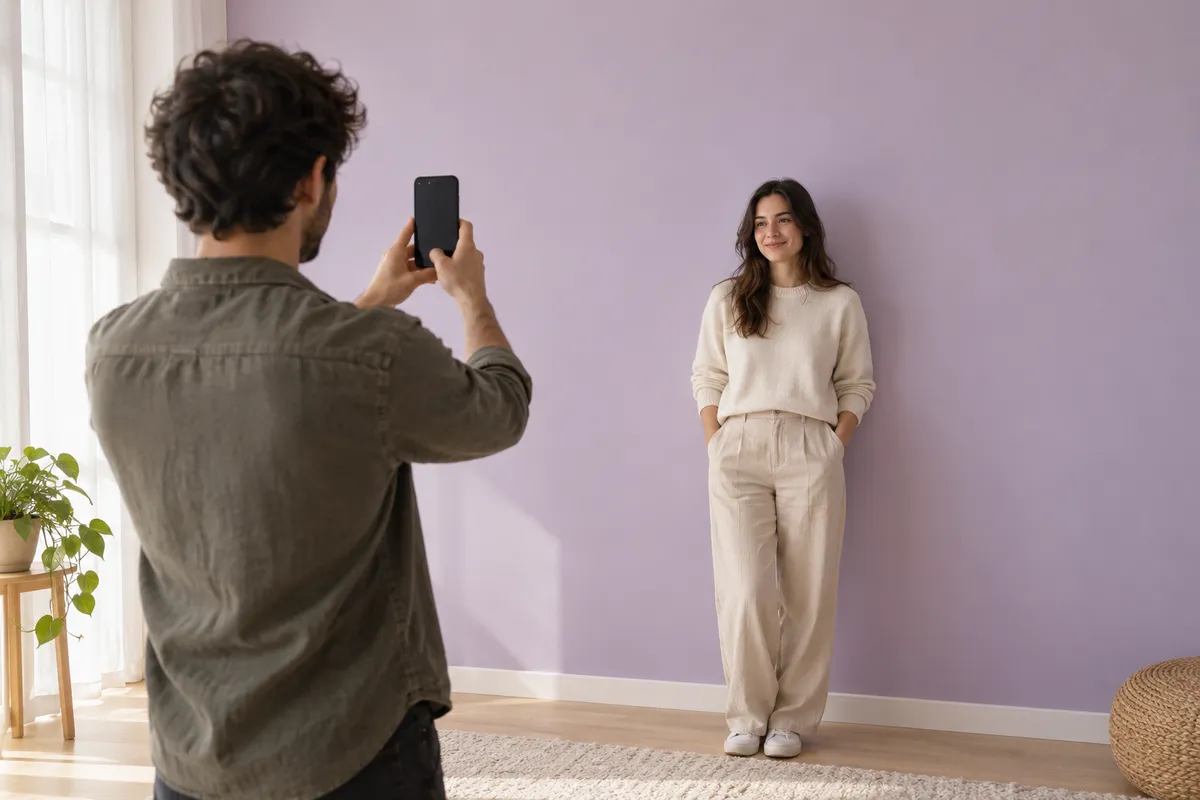
- Stand against a plain wall in daylight, facing a window rather than with your back to it.
- Hold the phone at eye level, or have someone shoot you from about two meters away.
- Frame yourself from the waist up, with your hands visible.
- Look straight at the lens with a neutral face. That expression becomes the stare.
- Take off sunglasses and caps, and push hair away from your eyes.
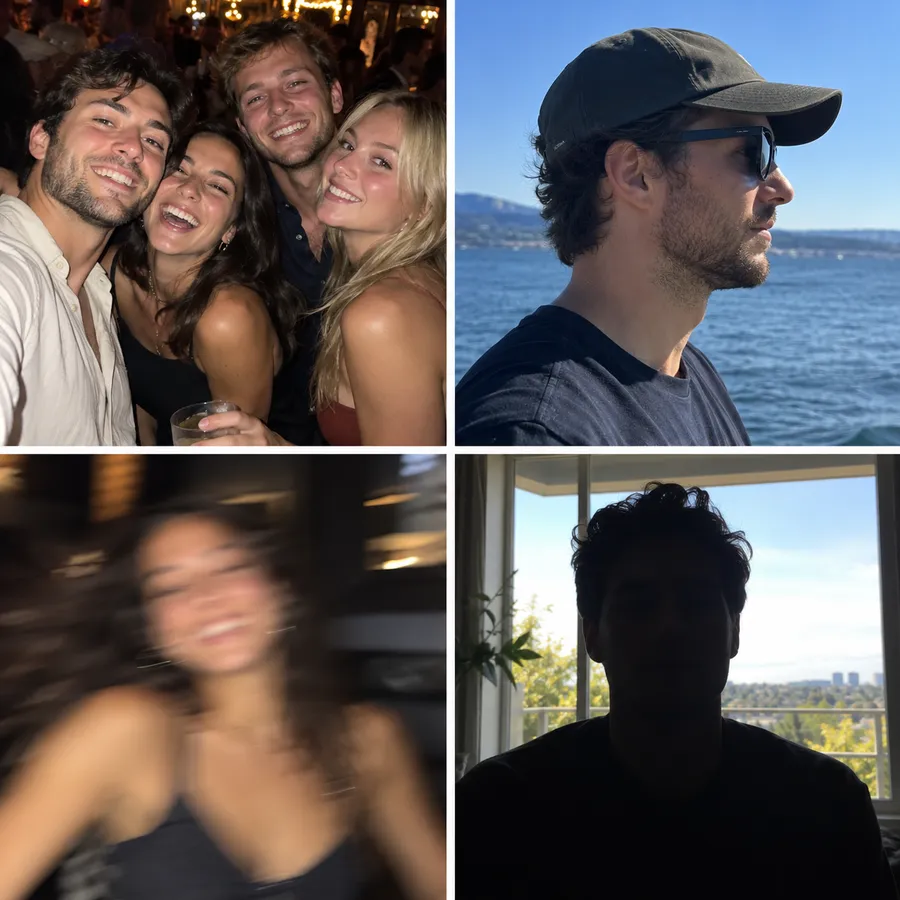
Already have a photo you like? Crop it so only one person is in the frame, and skip anything with a heavy beauty filter. If your beard, glasses, or a tattoo are part of how people recognize you, make sure they're clearly visible. The AI won't add what it can't see.
Step 2: Make the video on TrendTada
Go to the Dime Dime Baby AI tool and use the workspace at the top of the page:
- Under Your photo, upload the photo from Step 1 and check the preview.
- Pick a Quality and a Length. The Format is vertical 9:16, so the clip is ready for TikTok without cropping.
- Check the credit cost shown for those settings, sign in if asked, and press Create video.
- Watch the progress on the page, or leave and find the video later in History. Download it when it's done.
Higher quality and longer clips cost more credits, so test a new photo at the lower quality and shorter length first. If the photo doesn't work, you've spent less finding out. If the tool says video generation is awaiting setup, creating isn't live yet and nothing is charged; the steps stay the same once it opens.
Step 3: Review it before you post
Watch the whole clip at full screen, twice. Look for these four moments:
- The walk-in. Does the face stay yours as the head moves?
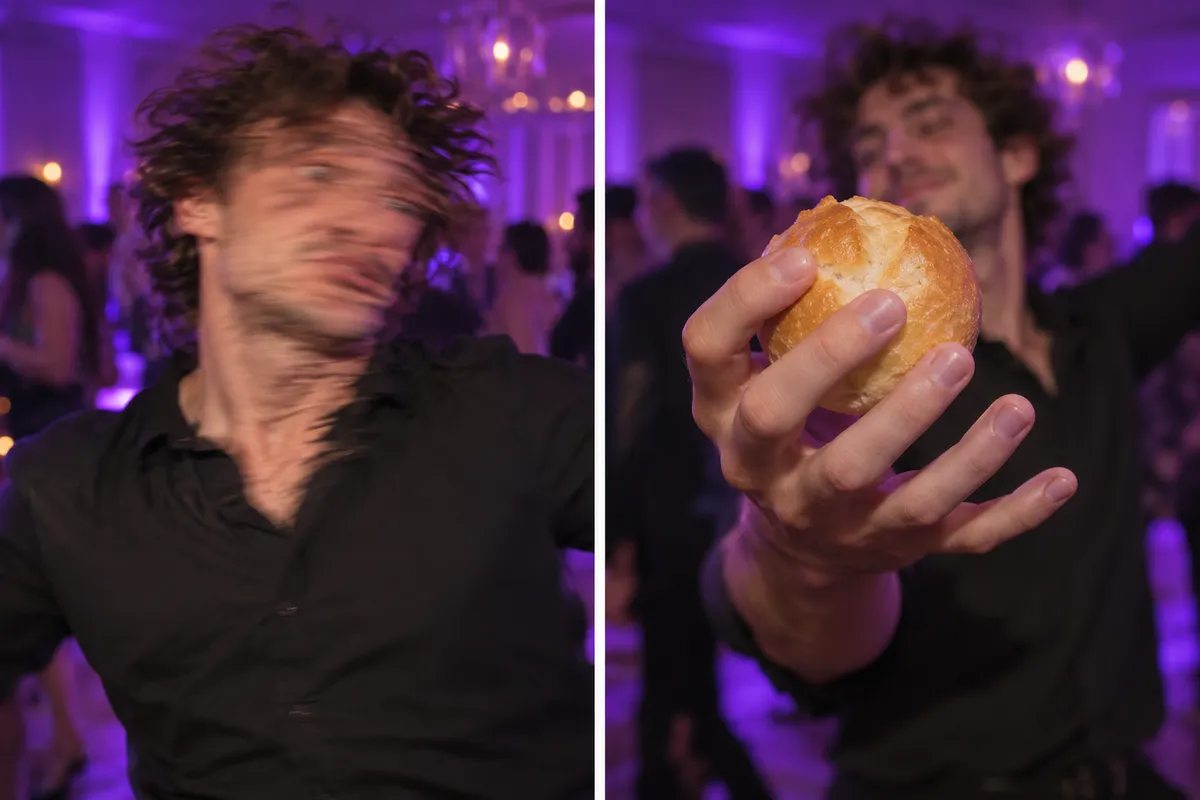
- The bite. Hands near the mouth are where AI most often adds fingers or melts the bread.
- The stare. This is the close-up everyone screenshots. Check the eyes and mouth.
- Your details. Beard, glasses, tattoos, hairline. Commenters notice these first.
If one of these looks wrong, jump to the fixes below before you post.
Step 4: Add the official BbY WOW sound on TikTok
Don't download the song from YouTube or a converter site and bake it into the file. Add the official sound inside TikTok instead. Your video then appears on the sound's page, where people browsing the trend find new versions.
- Tap + (Add post) and upload your Dime Dime Baby AI video from the gallery.
- Tap Add sound and search for BbY WOW.
- Pick the official sound. Skip sped-up and "remix" uploads.
- Drag the sound's start point so the "dime, dime, baby" line hits exactly as the stare begins.
- In Volume, turn the original audio of your clip all the way down so only the song plays.
On Instagram Reels the idea is the same: add audio in the Reels editor, search for BbY WOW, and set the start point on the stare. If the sound isn't available in your region, post with no music rather than an unofficial copy.
Step 5: Label it as AI and write the caption
TikTok asks creators to label content where a real person is shown doing something they didn't do, and dancing is the example it uses. Before you post, tap More options and turn on AI-generated content. The label can't be removed after posting, and TikTok says it doesn't affect distribution.1
For the caption, keep it short and let the stare do the work. Mentioning the trend name, like #dimedimebaby or #bbywow, helps people find it. If you made the video of a friend, tag them so they see it first.
CapCut template or AI: which route fits you?
Before AI versions took off, people did this trend with CapCut and green-screen templates. Both routes are valid; they just suit different people.
| CapCut or green-screen template | Dime Dime Baby AI | |
|---|---|---|
| You on camera | You record yourself doing the walk and the stare | Not needed, one photo is enough |
| Skill needed | Timing the moves and editing in the app | Picking a good photo |
| How real it looks | It's really you, in your own space | A generated party scene, with AI quirks |
| Best for | People who enjoy performing | People who want the party scene without filming |
| Cost | The template is free in the app | Credits, shown before you confirm |
If you like being on camera, the template is honestly the better choice. If you want to be at that party without dancing in your living room, use AI.
Common fails and how to fix them
"It doesn't look like me"
The AI invents anything your photo doesn't show, like the side of your face or your body. Use a sharper, front-facing photo in even light, framed waist-up. Avoid old, low-resolution or screenshot photos.
The beard or tattoo appeared, or disappeared
Viewers catch AI versions exactly this way: a beard the original dancer doesn't have, a tattoo missing from an arm. If a detail matters, it must be clearly visible in your photo. If an unwanted detail shows up, try a photo with a cleaner background and less clutter near your face.
The face is blurry or melts during the walk
Usually the input is blurry, very dark, or the face is small in the frame. Retake the photo closer, in daylight, and don't use a zoomed-in crop of a group picture.
Extra fingers or a strange concha
Hands near the face are hard for AI. A photo where your hands are visible and relaxed helps. If the bite still looks off, a second attempt with a different photo often fixes it.
The wrong person was animated
You uploaded a photo with more than one person. Crop to one face and try again.
The song doesn't line up with the stare
That's an editing fix, not an AI one. Move the sound's start point in TikTok until the line lands on the stare.
Making it for a friend
Lots of people in the comments ask someone else to make one for them. You can make it yourself for a friend, and there's no need to send your photo to strangers who offer to do it in DMs. Ask first, and only use photos of adults who agreed. TikTok's own rules don't allow AI content showing the likeness of private adults without their permission.1
Dime Dime Baby AI trend FAQ
Which AI do people use for the Dime Dime Baby trend?
Image-to-video AI tools that animate a single photo into the party scene. There's no single official app. The Dime Dime Baby AI tool on TrendTada is one option built specifically for this trend.
Is there a free way to do the trend?
Yes, the CapCut or green-screen route, where you film yourself. The AI route uses credits and there is no free trial. You always see the cost before confirming.
Do I have to dance?
No. That's the point of the AI version. You only provide a photo.
Who is the bby wow guy?
A guest filmed at a real party whose clip became the meme. He's a private person, so we don't name him, and you shouldn't use his face in your version.
Make your Dime Dime Baby AI video
You've got the photo, the steps, and the sound sorted. Open the Dime Dime Baby AI tool and make yours.
Sources
[1] TikTok Help Center — AI-generated content. Explains when to label AI content, how to turn on the AI-generated content setting before posting, and the rules on using other people's likeness.